7 Best Under-Desk Cable Trays for Gaming Setups (2026)
Transform your cable chaos into clean, hidden organization. We researched the top cable management trays to find the best options for every budget and desk type.
⚡ Quick Summary
- Best Overall: No Drill Metal Mesh Tray – clamp mount, no damage, great reviews
- Budget Pick: REFLYING 15.7" – highest rated (4.7★) at the lowest price
- Most Popular: Self-Adhesive 2-Pack – 6,400+ reviews, no tools needed
- Best 2-Pack: VIDOR – thick steel, deep trays for power bricks
Let's be honest: cables are the enemy of a clean gaming setup. You can have the best RGB lighting and a pristine desk mat, but one glimpse of tangled cables underneath ruins the whole aesthetic.
An under-desk cable tray is the simplest, most effective solution. It hides your power strip, adapters, and cable runs in one neat package. We analyzed thousands of reviews to find the 7 best cable trays for gaming setups in 2026.
Our Top Picks
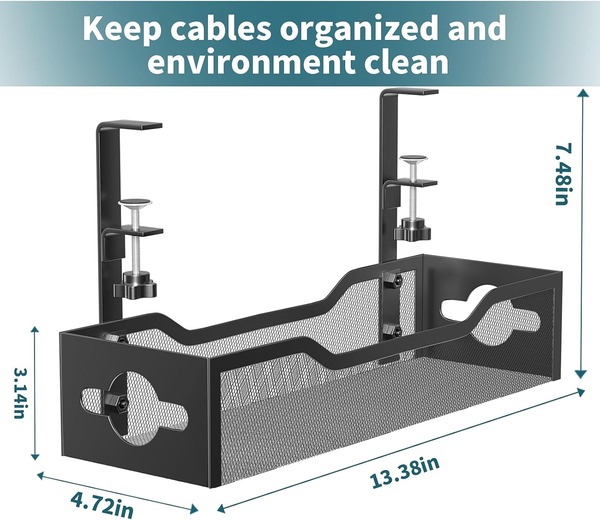
No Drill Metal Mesh Cable Tray with Clamp Mount
Our top pick for most gamers. This clamp-mounted tray installs in under 3 minutes without any drilling—just clip it to your desk edge and you're done. The carbon steel mesh holds up to 15 lbs easily, and built-in rubber pads protect your desk from scratches. Works great with standing desks since you can mount it facing inward or outward.
✓ Pros
- No drilling required – installs in minutes
- Rubber pads protect desk surface
- Holds up to 15 lbs (power strips + cables)
- Works with standing desks
✗ Cons
- May struggle with extra-large power strips
- Only fits desks 0.4" to 2" thick
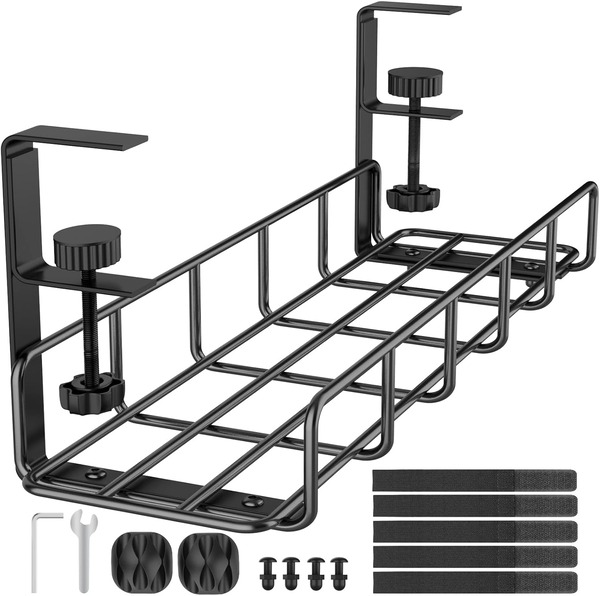
REFLYING 15.7" Under Desk Cable Tray
The highest-rated option on our list and the most affordable. This no-drill tray clamps onto wood, glass, metal, or marble desks without leaving marks. The hollow curved design prevents dust buildup and overheating. Bonus: it comes with 5 cord organizers and 2 wire clips included, so you get a complete cable management kit for under $16.
✓ Pros
- Lowest price on our list
- Highest rating (4.7 stars)
- Works on any desk material
- Includes 7 extra organizers free
✗ Cons
- May not fit large laptop power bricks
- Some users report thin metal bending
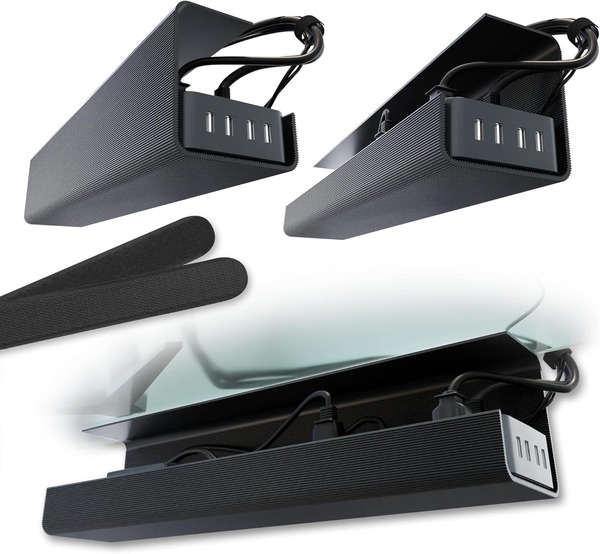
Self-Adhesive Cable Management Tray (2-Pack)
The most reviewed option with over 6,400 ratings. These trays use industrial-strength adhesive instead of clamps or screws—just peel, stick, and wait 24 hours before loading. Works on glass, wood, and smooth surfaces. The 2-pack is perfect for L-shaped desks or longer setups. Just note: adhesive mounting isn't ideal for heavy loads or warm rooms.
✓ Pros
- No clamps, no screws – just adhesive
- 2-pack covers larger desk setups
- Works on glass desks
- Most reviewed product (6,400+ reviews)
✗ Cons
- Adhesive may weaken over months
- Not ideal for heavy power strips
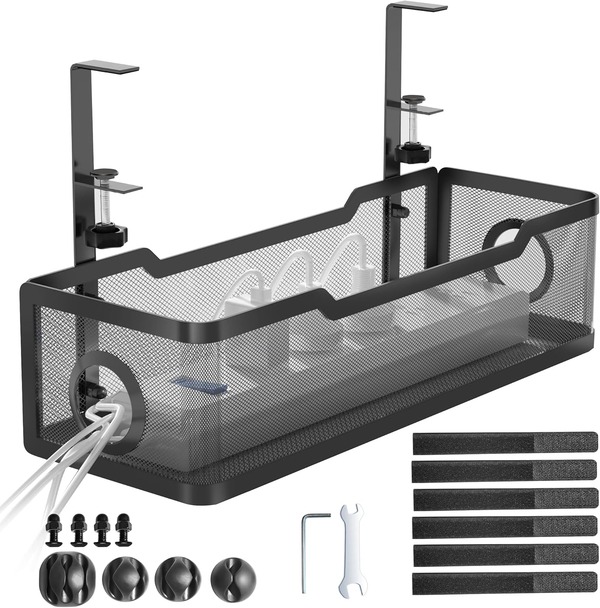
Cinati Under Desk Cable Organizer
A solid mid-range option that hangs directly from your desk frame without drilling. The fully welded, powder-coated metal won't rust over time. Includes anti-scratch mats, 4 cable clips, and 6 cable ties—everything you need for a complete setup. The opening can face inward or outward depending on your preference.
✓ Pros
- No drilling – hangs from desk edge
- Anti-scratch mats included
- Complete kit with clips and ties
- Rust-resistant powder coating
✗ Cons
- Tray sits lower than some alternatives
- Assembly can be fiddly
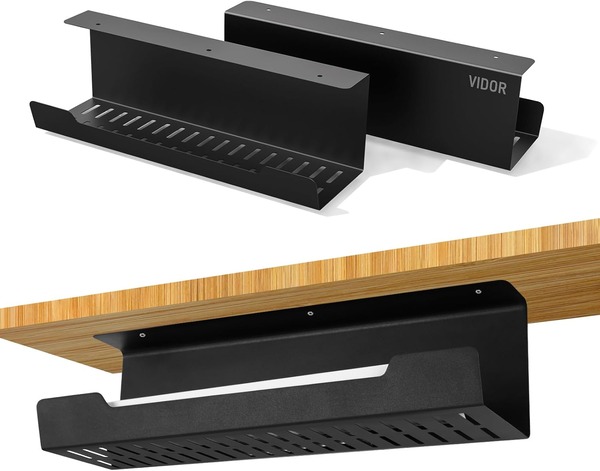
VIDOR Under Desk Cable Tray (2-Pack)
Get two 17-inch trays made from 2mm alloy steel—thicker than most competitors. Each tray holds up to 15 lbs with a depth of 4.8 inches, big enough for bulky power bricks. Comes with both screws and adhesive tape, so you can choose your mounting method. Best for users who want the screw-mount reliability.
✓ Pros
- 2-pack great value for large setups
- Extra deep (4.8") for power bricks
- Thick 2mm alloy steel
- Both screw and adhesive options
✗ Cons
- Adhesive option doesn't hold well
- Stick with screws for best results
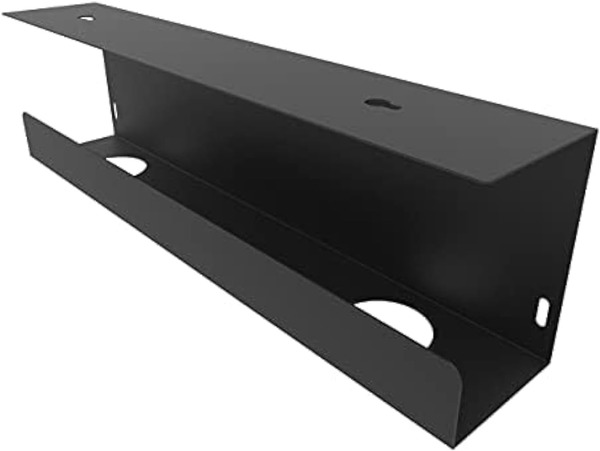
Jingchengmei 17" Cable Management Tray
A straightforward screw-mount tray at a budget price. The partially closed design keeps cables contained while the front opening makes adding or removing wires easy. Made of powder-coated steel with an 11 lb capacity. The keyhole mounting slots make installation simple—if you're comfortable drilling into your desk.
✓ Pros
- Very affordable price
- Easy keyhole mounting
- Front opening for easy access
- Solid powder-coated steel
✗ Cons
- Requires drilling into desk
- Screws may be too long for thin desks
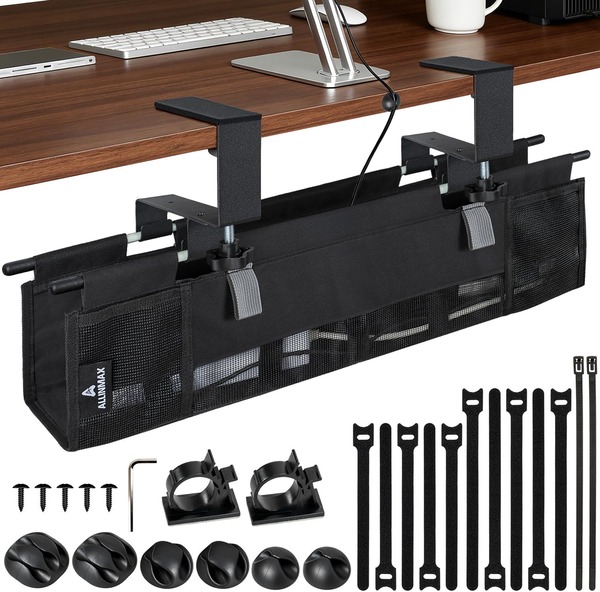
Fabric Mesh Cable Tray with Ventilation
A unique fabric-based option with mesh ventilation slots—ideal if your power strip runs hot. The Oxford 900D material with reinforced PP base supports up to 17.6 lbs. Includes a 20-piece accessory kit with clips, velcro, and guides. Fits thicker desks (up to 3.2 inches) that metal clamps can't handle.
✓ Pros
- Best ventilation for hot power strips
- Fits extra-thick desks (up to 3.2")
- Huge 20-piece accessory kit
- Highest weight capacity (17.6 lbs)
✗ Cons
- Very few reviews (new product)
- Fabric may sag with heavy loads
How to Choose the Right Cable Tray
Measure Your Desk First
Before buying, check your desktop thickness. Clamp-mount trays typically fit desks 0.4" to 2" thick, while some fabric options work up to 3.2". Also measure the width available—most trays are 15-17 inches wide.
Clamp vs. Screw vs. Adhesive
Clamp mount is our top recommendation—no damage, easy to reposition, and holds well. Screw mount is the most secure but requires drilling. Adhesive is convenient but often fails after a few months, especially in warm rooms.
Consider Your Cable Load
Most trays hold 10-15 lbs, which covers a power strip and plenty of cables. If you have multiple large power bricks (like laptop adapters), look for deeper trays like the VIDOR (4.8" depth) or higher capacity options.
Mesh vs. Solid Trays
Mesh trays offer better airflow (important if your power strip gets warm) and are lighter. Solid trays look cleaner but can trap heat. For most gaming setups, mesh is the practical choice.
💡 Installation Tips
- 1.Mount the tray toward the back of your desk, close to the wall, for maximum cable hiding.
- 2.Use velcro cable ties (not zip ties) so you can easily add or remove cables later.
- 3.For adhesive trays, clean the surface with alcohol first and wait 24 hours before loading.
- 4.Leave some slack in cables before securing—you'll thank yourself when you need to move something.
Frequently Asked Questions
Can I use a cable tray with a standing desk?
Yes! Clamp-mount trays work great with standing desks. Just make sure your cables have enough slack to accommodate the desk moving up and down. Avoid adhesive options for standing desks—the movement can weaken the bond.
Will a cable tray work on a glass desk?
Clamp-mount trays with rubber pads work on glass desks. Adhesive trays also work well on glass. Just avoid over-tightening clamps on glass surfaces.
How much weight can these trays hold?
Most hold 10-15 lbs, which is plenty for a power strip and cables. The Fabric Mesh tray holds the most at 17.6 lbs. Avoid overloading adhesive-mounted trays.
Why do some adhesive trays fall after a few months?
Heat weakens adhesive over time. If your office is warm (above 75°F) or the tray is near a heat source, the bond degrades. For long-term reliability, we recommend clamp or screw mounting.
🏆 The Bottom Line
For most gamers, the No Drill Metal Mesh Tray ($16.99) is our top pick—it clamps on in minutes, holds up to 15 lbs, and has excellent reviews with no major complaints.
On a tight budget? The REFLYING tray ($15.19) has the highest rating (4.7 stars) and includes extra cable organizers free.
Need two trays for an L-shaped desk? The Self-Adhesive 2-Pack is the most popular choice, but stick with the VIDOR 2-Pack if you can screw-mount for better long-term reliability.
* Prices shown are approximate and may vary. Last updated January 2026. Check Amazon for current pricing.